STORE BLOG ARTICLES PUBLICATIONS CHARTMAKER FREEBIES

Create a Color Chart!

Have a go at making a color chart. Whatever you draw can be erased so don't worry. If you decide you don't like the colors you chose you can change them later just by changing the palette at the top. No muss, no fuss.

Coloring the Chart

  • Click on a color in the Palette.
  • Start coloring, 4 different ways.
    • Click on the chart and move the mouse to "paint", click again to stop painting.
    • OR double click to fill in one cell at a time.
    • OR click on a row number or column number to fill that row or column
    • OR click on the "o" in the top left corner to fill in the whole chart

Managing your Palette

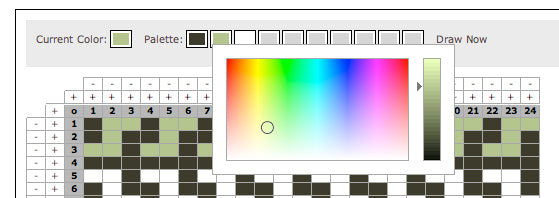
  • Click on Change Colors
  • Click on the color you want to change. Select a color.
  • Click Draw Now to go back to coloring.

Remember to save frequently!
To print do not use the print buttons on this page. Save first, then click here to print your color chart.

Step 1: Draw the Chart

Chart Name:   Share my Chart  in 

Current Color: Palette: Change Colors Print Help!

Step 2: Add Some Comments

Want to do this on real knitting graph paper? Check out our new Tricksy notebooks, available in graph and lined. The graph notebooks use oblong cells, not square ones, so your charts will look like you finished piece. Great for stitch charts too.

* Please note, in Windows the Tricksy Chartmaker is compatible back to Internet Explorer 6.0, Firefox 3.6, Chrome 8.0, and Safari 5.0 and up. On a Mac we have tested the chart maker successfully with Safari 4.1 and Firefox 3.5. If you don't see a chart below then upgrading your browser should solve the problem. You can do so by clicking the name of your browser above.